Video has become one of the main ways people learn, teach, and share ideas. Tutorials, interviews, lectures, and reviews often live inside long videos. Watching works well for learning at a relaxed pace, yet it becomes slow when you need one quote, a clear note, or a written reference. Replaying sections and pausing to write breaks focus and wastes time.
This is where YouTube transcript tool support becomes useful. Transcript.you focuses on turning spoken video content into text that people can read, search, and reuse. This review examines how it performs in everyday use, with attention to usability, accuracy, feature depth, pricing, and who benefits most.
Quick summary
Transcript.you converts YouTube videos, Shorts, and uploaded media files into readable text. It supports summaries, study formats, and content drafts that help users work with video material more efficiently. The platform suits students, creators, and professionals who rely on spoken content but prefer working in text.
What Transcript.you Is and What It Does
Transcript.you turns spoken content into text using a simple link or upload-based workflow. Most users start with YouTube videos, where a pasted link generates a full transcript with timestamps. The same approach works for YouTube Shorts, which are often harder to review due to their fast pace.
Beyond YouTube, the platform also supports direct file uploads. Users can transcribe audio or video files in formats such as MP3, MP4, M4A, MOV, AAC, WAV, OGG, OPUS, MPEG, WMS, and WMV. Files up to 200MB are supported, which covers most lectures, interviews, and recorded meetings.
What separates this tool from basic caption copying is what happens after transcription. Transcript.you includes options that reshape raw text into summaries, notes, and drafts, making the material easier to study or reuse.
How the Transcription Process Works
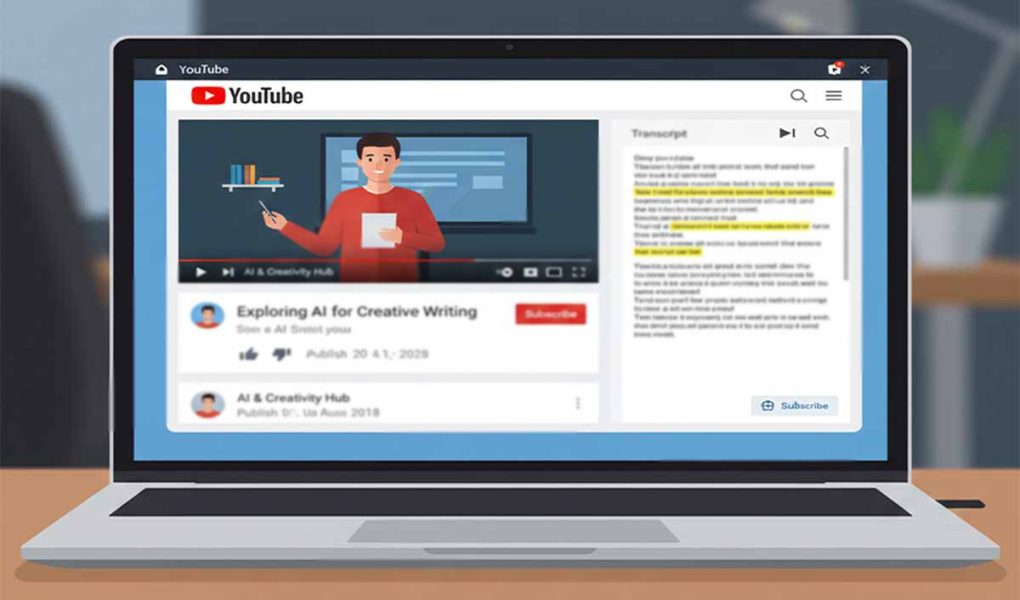
The process stays simple. For YouTube content, you paste the video or Short link into the input field and generate the transcript. The text appears alongside timestamps that stay synced with the video, allowing quick jumps to specific moments.
For uploaded files, the flow remains similar. After selecting a supported audio or video file, the platform processes the content and displays the transcript once ready. This feature suits users who work with recorded interviews or offline material.
Most users understand the interface within minutes. Controls remain visible and uncluttered, which keeps the learning curve low even for first-time visitors.
Transcript Quality and Accuracy
Transcript accuracy depends on audio clarity. Videos with clear speech and minimal background noise produce strong results. Educational videos, presentations, and interviews generally read well in text form. YouTube Shorts also perform reliably due to their focused structure.
Longer recordings remain manageable because timestamps divide the transcript into readable sections. Technical terms and fast speech may need a brief review, which is normal for automated transcription.
Timestamps add practical value. They help users verify quotes and return to exact moments without scrolling through the entire video again.
Core Transcript and Summary Features
Clean and Structured Text Output
The transcript appears in a clean, readable layout. Paragraph spacing and line breaks keep the text from feeling overwhelming. This structure works well for copying into documents, research notes, or writing drafts.
Users who already rely on creator productivity tools will find the formatting easy to integrate into existing workflows.
Summary and Quote Tools
Transcript.you offers several ways to shorten long transcripts. Short summaries give a fast overview, while longer summaries retain more detail. Bullet-style breakdowns help users scan key sections without rereading the full text.
The platform can also extract notable quotes, which helps writers and researchers reference spoken material accurately without replaying the video multiple times.
Analysis and Knowledge Extraction Tools
For deeper work, Transcript.you provides tools that examine the transcript as a whole. These features identify recurring ideas and themes across longer videos. This approach helps when working with interviews, lectures, or panel discussions.
Researchers and writers benefit most here. Instead of manually scanning for patterns, the platform highlights areas worth attention. These tools work best as guides, with users reviewing the original text before final use.
Study and Education Features
Students often struggle to balance watching lectures with taking organized notes. Transcript.you addresses this by offering structured formats designed for study.
Users can generate flashcards, concept maps, and question-based notes. Formats such as Cornell notes, outlines, rapid logging, and split-page layouts help organize information clearly.
These features suit exam preparation, revision sessions, and self-guided learning. Learners who prefer reading over watching gain flexibility in how they review material.
Content Creation and Repurposing Tools
Transcript.you also supports content reuse. Transcripts can be reshaped into blog drafts, outlines, and short-form posts. This helps creators turn spoken ideas into written material faster.
Social content suggestions support planning across platforms. Writers who focus on visual platforms may also benefit from guidance found in social media design tips when pairing text with visuals.
For users working with podcasts or recorded interviews, the option to transcribe audio files directly adds flexibility beyond YouTube.
Pricing Plans and Free Trial Evaluation
Transcript.you offers free access for basic transcription needs. This level suits users who only need occasional transcripts from videos or files.
Paid options include the Creator Plan and Pro Plan, each with a seven-day free trial. These plans unlock advanced summaries, study formats, and content creation tools. A Lifetime Access option exists for users who prefer a one-time payment.
Frequent users who rely on transcripts for work or study gain the most value from paid tiers. Casual users may find free access sufficient.
Who Transcript.you Is Best For
Transcript.you fits students who learn through video and want better notes. Content creators benefit from turning spoken material into written drafts. Bloggers and SEO writers gain faster access to quotes and structured text.
Professionals who rely on recorded meetings, talks, or training sessions may also find it helpful. Users who watch videos only for entertainment may not need its full feature set.
A reliable understanding of how speech-to-text systems work, such as those described in speech recognition overview resources, helps set realistic expectations for accuracy.
Strengths and Limitations
Strengths
- Supports YouTube videos, Shorts, and file uploads
- Simple workflow with minimal setup
- Wide range of post-transcript tools
Limitations
- Accuracy depends on audio quality
- Automated text still needs review
- Advanced features may feel unnecessary for light use
A Clear Take on Its Value
Transcript.you provides a practical way to work with spoken content. It removes friction between watching and writing by offering clean transcripts and helpful tools for reuse. Compared to manual note-taking or copying captions, it saves time and adds structure.
The platform works best for users who regularly deal with video or audio material. For those needs, Transcript.you stands as a dependable option without unnecessary complexity.